Teleprompter app for iPhone creators

Teleprompter app
for iPhone video

CueCam helps you read scripts while recording, keep natural eye contact, follow your voice, add captions, edit the take, and publish to TikTok, Instagram, YouTube, or Shorts from one iPhone app.

CreatorCreatorCreatorCreator
4.8

Loved by thousands of creators

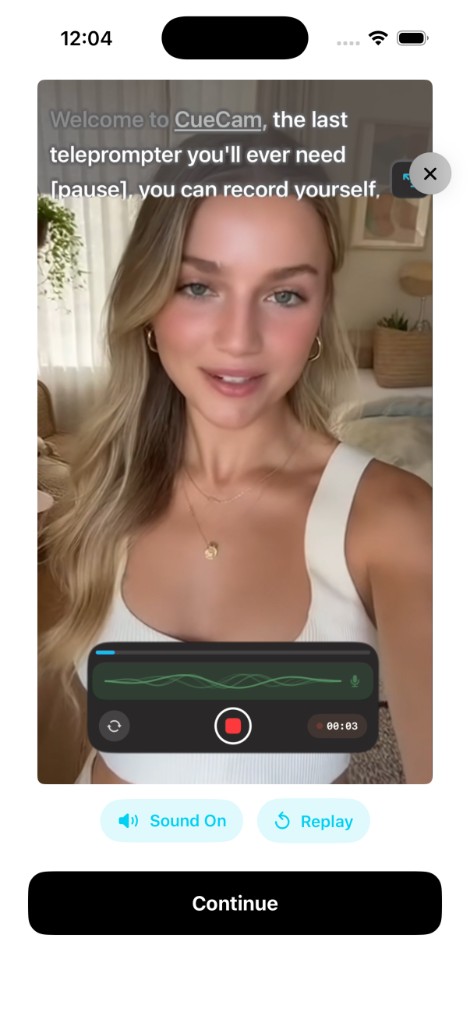
CueCam teleprompter recording
CueCam welcome screen
CueCam editing studio

Word Tracking

Follows your voice

4K Recording

Up to 60fps

From idea to export

Everything you need in one app.

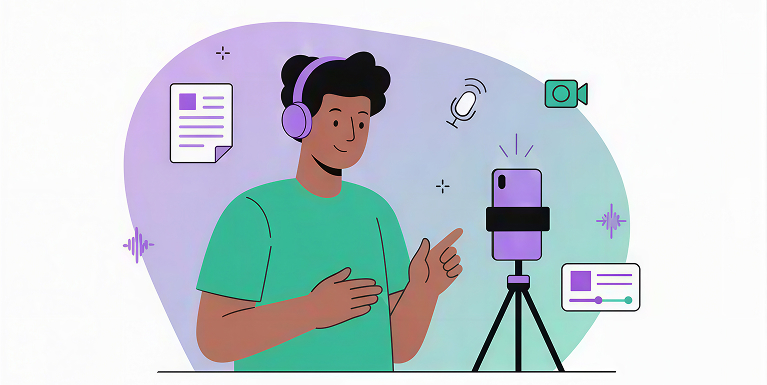
Content creator recording with CueCam
STEP 1

Write your script

Start from scratch or paste your text

STEP 2

Record with teleprompter

Speech recognition follows your voice

STEP 3

Edit and publish

Subtitles, resize, trim, and export

A teleprompter app built for real recording

CueCam is made for people who need more than scrolling text: read a script, record the video, clean up the edit, and publish from the same iPhone workflow.

CueCam iPhone app

Record while your script stays near the lens

Use CueCam when you need a teleprompter app for iPhone that records video, follows your voice, creates captions, edits the take, and exports social formats in one workflow.

  • Voice tracking, fixed speed, and timed scrolling
  • Front or rear iPhone camera recording up to 4K
  • Captions, resize, trim, background tools, and export
Online teleprompter

Good for quick browser read-throughs

A free online teleprompter can help you rehearse or read from a desktop browser. CueCam is better when your final video needs to be recorded, edited, and published from your phone.

  • Useful for practice and simple desktop setups
  • Recording and editing usually happen in other apps
  • Eye contact depends on screen and camera placement
Hardware teleprompter

Helpful for studio rigs and mounted cameras

Glass teleprompters and camera rigs are useful for dedicated studio shoots. CueCam keeps the setup lighter for creators, educators, founders, and teams recording on iPhone.

  • Strong fit for crews and fixed camera setups
  • Requires glass, mounts, alignment, and extra gear
  • Less portable for short-form and everyday video
Before and after using CueCam teleprompter
Before
After

Look confident on camera

Viewers trust speakers more when they look into the camera. CueCam's teleprompter places your script right next to the lens, so you maintain natural eye contact while delivering your message flawlessly.

89%rate speakers who look at the camera as more trustworthy

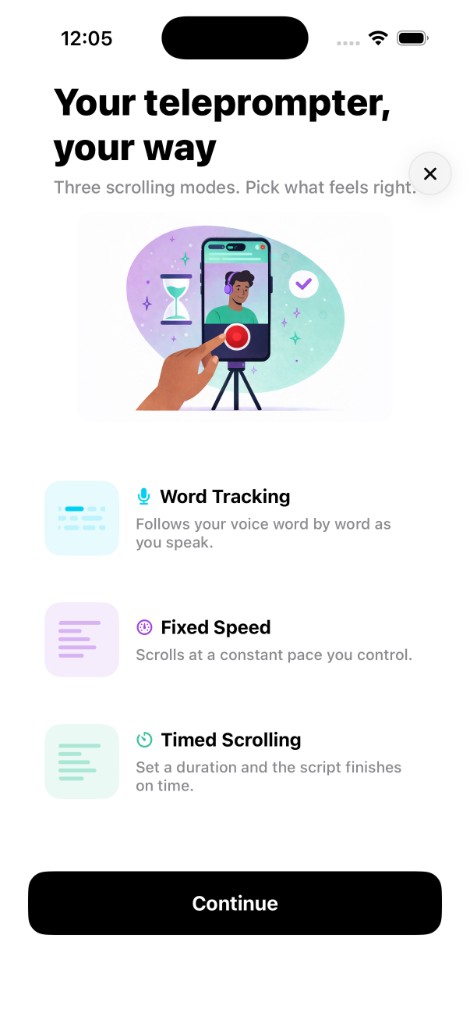
Your teleprompter, your way

Three scrolling modes. Pick what feels right.

Teleprompter scrolling modes

Word Tracking

Most popular

Follows your voice word by word as you speak. Pause anytime and the script waits for you.

Fixed Speed

Scrolls at a constant pace you control. Adjust it anytime with a simple slider.

Timed Scrolling

Set a duration and the script automatically paces itself to finish exactly on time.

Best teleprompter app checklist

What to look for in a teleprompter app

The best teleprompter app is not just a scrolling script. It should help you sound prepared, keep your eyes on the camera, record clean video, and finish the edit fast.

Natural eye contact

A useful teleprompter app keeps the script close to the camera so you can read without looking away from viewers.

Voice tracking

CueCam can follow your speech word by word, pause when you pause, and continue when you start speaking again.

Flexible scrolling

Choose voice tracking, fixed speed, or timed scrolling depending on whether you are recording a short, tutorial, pitch, or speech.

Video quality

Record with the iPhone cameras you already trust, including 720p, 1080p, and 4K options with front or rear camera support.

Editing after the take

Trim, clean audio, resize, add captions, blur or replace backgrounds, and prepare videos without moving to another editor.

Social export

Create vertical, square, or widescreen videos for TikTok, Instagram Reels, YouTube Shorts, courses, sales videos, and updates.

Record professional videos

Pro-grade camera controls right from your iPhone.

CueCam recording with teleprompter

Resolution

720p
HD
1080p
Full HD
4K
Ultra HD

Frame Rate

24fps
Cinema
30fps
Standard
60fps
Smooth
Front & rear cameras
External mic support
Cinematic stabilization
Live audio waveform

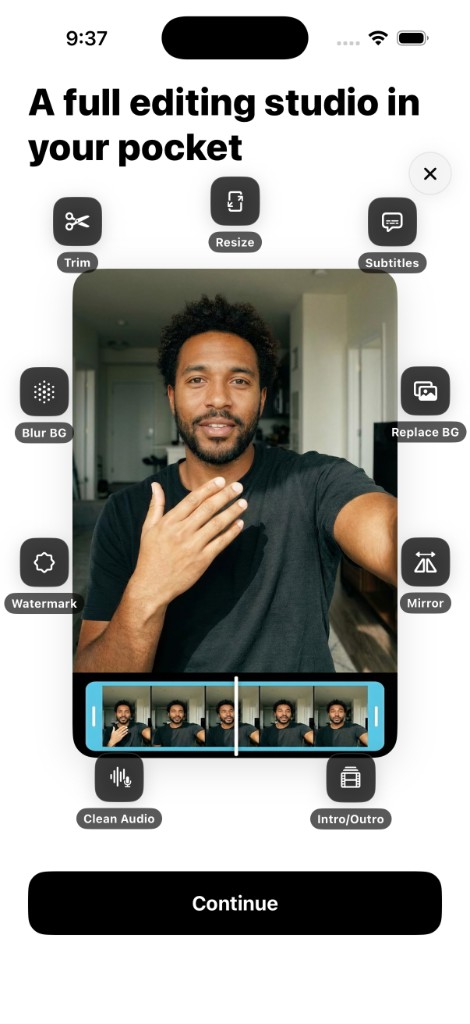
A full editing studio in your pocket

No need to switch apps. Edit everything right after recording.

Intro/Outro
Trim
Blur BG
Watermark
Clean Audio
CueCam video editing studio
Resize
Subtitles
Replace BG
Mirror

Auto-generate captions

And style them your way.

CueCam uses on-device speech recognition to generate accurate, timed subtitles automatically. No internet required. Choose from multiple visual styles, edit word by word, and customize timing and positioning.

60+ languagesOn-device processingNo internet needed
Comic caption style
Classic caption style
Social caption style
Minimal caption style
Neon caption style

Export ready for every platform

Share directly to your favorite platforms. Every video is optimized automatically.

9:16
TikTok, Reels, Shorts
1:1
Instagram, Facebook
4:5
Portrait posts
16:9
YouTube, Presentations
TikTok
Instagram
YouTube
Facebook

A video teleprompter for the way you publish

Use CueCam for short-form clips, long-form videos, lessons, business updates, and any take where you need to sound prepared without memorizing every line.

iPhone teleprompter app

Read, record, edit, and export from your phone

Teleprompter for YouTube

Long-form videos, vlogs, and explainers

TikTok, Reels & Shorts

Vertical videos with scripts and captions

Courses & tutorials

Lessons, training videos, and walkthroughs

Business & sales videos

Pitches, demos, team updates, and launches

Podcasts & interviews

Intros, sponsor reads, and scripted segments

Self-tape auditions

Read lines while keeping a natural eyeline

Privacy first

Your scripts and videos never leave your phone.

100% on-device processing

Scripts, recordings, and edits never leave your iPhone.

No external accounts required

Just open the app and start creating. No sign-up needed.

No personal data collection

We never sell or analyze your content. Your privacy is a core principle.

Loved by creators

4.8
1,200+ creator ratings

CueCam was made for people like you

CreatorCreatorCreatorThousands of creators
Emma RichardsonEmma Richardson

I used to spend hours recording and re-recording. Now I get clean takes much faster with CueCam.

Marcus ChenMarcus Chen

I can finally script, shoot, and edit in one flow. The resize and trim tools save me hours every week.

Sarah MitchellSarah Mitchell

This made me consistent. I post more because recording feels easier and less stressful.

Frequently asked questions

Straight answers about CueCam, iPhone teleprompter recording, voice tracking, editing, privacy, and subscriptions.

What is a teleprompter app?

A teleprompter app shows your script on screen while you record, helping you read naturally without memorizing every line. CueCam is built for iPhone video, so the teleprompter, camera, captions, editing tools, and export workflow all live in one app.

What does CueCam do?

CueCam is an all-in-one teleprompter and video creation app for iPhone. Write or paste your script, read it while recording yourself on camera, then edit your video without leaving the app. You can trim videos, add subtitles, replace backgrounds, resize for social media, and export to TikTok, Instagram, YouTube, or any platform.

Is CueCam a free teleprompter app?

CueCam is free to download and includes free features you can try right away. Full access to the complete recording, teleprompter, and editing toolset is available through an optional subscription after a trial, with billing handled securely by Apple.

What makes CueCam a good teleprompter app for iPhone?

CueCam is designed around the full iPhone recording workflow: script reading, natural eyeline, voice tracking, 4K recording, automatic captions, trim, resize, background tools, audio cleanup, and export. You do not need to record in one app and edit in another.

How does the teleprompter work while recording?

Your script scrolls on screen while the iPhone camera records you. CueCam places the text near the camera area to support natural eye contact, and you can choose Word Tracking, Fixed Speed, or Timed Scrolling depending on the type of video you are making.

Does CueCam have voice tracking?

Yes. Word Tracking uses on-device speech recognition to follow your voice word by word. If you pause, the script waits. If you prefer a simpler flow, Fixed Speed scrolls at a constant pace and Timed Scrolling paces the script to a target duration.

Can I use CueCam as a teleprompter for TikTok, Reels, Shorts, and YouTube?

Yes. CueCam can resize and prepare videos for vertical, square, and widescreen formats, making it useful for TikTok, Instagram Reels, YouTube Shorts, long-form YouTube videos, courses, pitches, tutorials, and social updates.

Is CueCam an online teleprompter?

CueCam is an iPhone app, not a browser-only online teleprompter. Online teleprompters can be useful for practice, but CueCam is built for recording and editing the finished video on your phone, even when you do not want to depend on a desktop setup.

What editing tools are included?

CueCam includes Trim, Auto-Generate Subtitles in 60+ languages, a subtitle editor with multiple styles, Resize for 9:16, 16:9, 1:1, and 4:5, Replace Background, Blur Background, Watermark, Mirror, Clean Audio, and Intro and Outro sequences.

Do I need an internet connection?

Most features work offline. Recording, teleprompter scrolling, speech recognition, subtitle generation, and editing run directly on your device. Internet may be required for subscription verification, app updates, or App Store services.

Is my content private?

Yes. Scripts, recordings, and edits stay on your iPhone. Speech recognition and processing run on-device, no account is required, and CueCam is designed so your video workflow does not need to leave your phone.

How do I cancel my subscription?

Open iPhone Settings, tap your Apple ID, tap Subscriptions, select CueCam, and tap Cancel Subscription. Your access continues until the end of the current billing period.