Voice-activated teleprompter: follow your script as you speak
Use CueCam Word Tracking on iPhone, test pauses and microphone input, and choose a fallback when speech tracking cannot keep up.
Quick answer
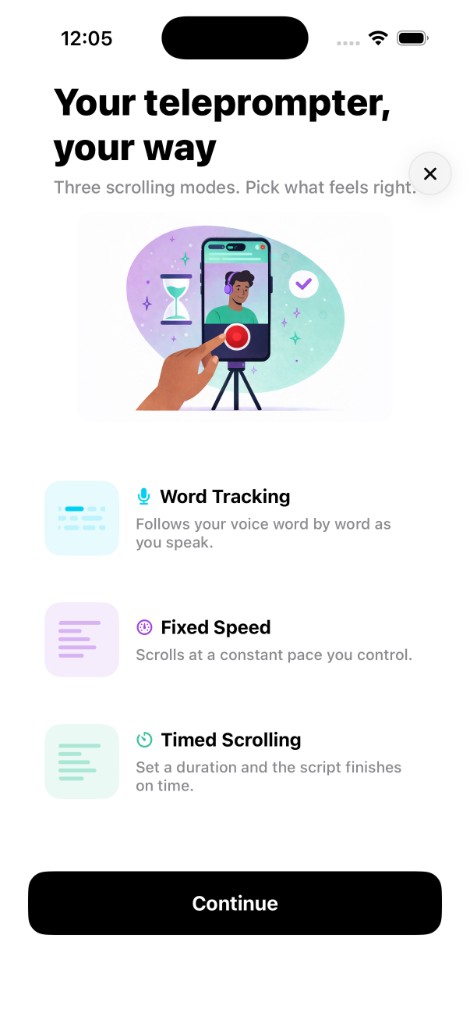
A voice-activated teleprompter advances from recognized speech rather than a constant timer. CueCam calls this Word Tracking. It uses on-device speech recognition to follow the words in your script; a clear microphone signal and a script close to what you actually say make the test more useful.
Step by step
Start with a short, familiar script
Use a few sentences in the language you intend to record. Spell names the way you plan to pronounce them and avoid long lists of codes for the first test. Rehearse the wording rather than switching freely between unrelated phrases.
Choose Word Tracking and check the microphone
Allow the speech-recognition and microphone permissions requested by the app. Confirm the active audio input, especially after connecting AirPods or an external microphone. Make a short recording so you can hear what the app receives.
Test a pause and a restart
Read one sentence, pause and continue with the next. Watch whether the text stays near your place. Move to the intended paragraph if you lose your position, then test again before recording an important take.
Reduce noise and simplify difficult passages
If tracking drifts, check the microphone and background noise first. Break long sentences into shorter phrases and keep your spoken words close to the script. Test with the exact language and device you will use.
Use another mode when it fits better
Fixed Speed and Timed Scrolling are useful alternatives for singing, heavy improvisation or passages that speech recognition handles poorly. Adjust the pace in a rehearsal instead of relying on an untested setting.
Try this with your next recording
Read the same three sentences with the built-in microphone and your usual external microphone. Include a deliberate pause in both tests. Compare whether scrolling stays near the words and whether the recorded audio is clear.
What to check before you record
Speech recognition can miss accents, names, background voices or changes in wording. Support and accuracy depend on the device, language and conditions; confirm your own setup. Local speech tracking does not mean every optional CueCam feature is offline: cloud-assisted features have separate requirements.
Try the workflow in CueCam
Free download with a limited evaluation. Full recording and editing access requires a subscription. Check current pricing and availability on the App Store.
View CueCam on the App Store