How to record video while reading a script on iPhone
Read a script while recording your iPhone camera: prepare spoken text, keep your eyeline near the lens and finish the take in CueCam.
Quick answer
Use a camera app with an integrated teleprompter so you can see the script while the camera records. CueCam combines scrolling text, the iPhone camera and editing; your reading script is a prompt, while captions are added separately after recording.
Step by step
Turn written notes into spoken lines
Start with the result the viewer should understand. Write a short opening, one main idea and a clear ending. Replace dense paragraphs with brief lines and mark natural pauses with punctuation.
Frame for the final platform
For a Reel or TikTok, compose a vertical shot and leave room around your face for captions and platform controls. For a YouTube tutorial, decide whether you need a wider frame. Test the eventual export crop before a long take.
Put the words close to the camera
Keep the reading area near the lens and use text you can read at your chosen distance. If your eyes travel visibly from side to side, shorten the lines or move farther away while preserving readability.
Record with a pace that fits your delivery
Choose Word Tracking for speech-following scrolling, or test a fixed speed. Speak the opening aloud before recording. If a sentence feels rushed, edit the script instead of trying to squeeze more words into the same take.
Listen, caption and export
Review the recording with headphones, trim unnecessary pauses and generate captions if useful. Correct names and numbers manually. Resize to the destination and check a saved export before uploading.
Try this with your next recording
For a 30-second product introduction, write one problem, one demonstration and one invitation. Rehearse to measure the actual duration. Remove a sentence if needed; a target duration is not a guarantee that a long script will sound natural.
What to check before you record
Reading a script does not guarantee natural eye contact. The script is not the same as subtitles. Verify any platform-specific format and content limits before uploading. Full recording and editing access requires an active subscription.
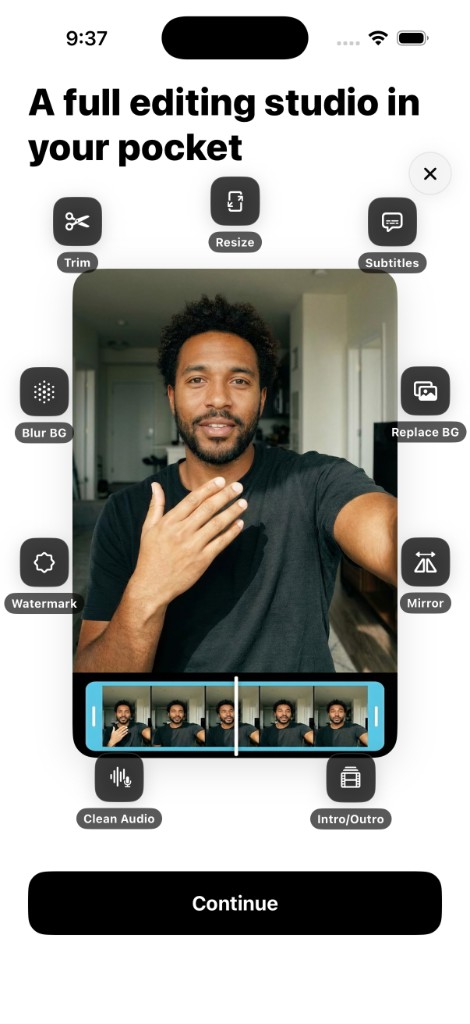
Try the workflow in CueCam
Free download with a limited evaluation. Full recording and editing access requires a subscription. Check current pricing and availability on the App Store.
View CueCam on the App Store