Add and review automatic captions on iPhone
Generate CueCam captions, check spoken language, fix names and timing, and export readable subtitles for your video.
Quick answer
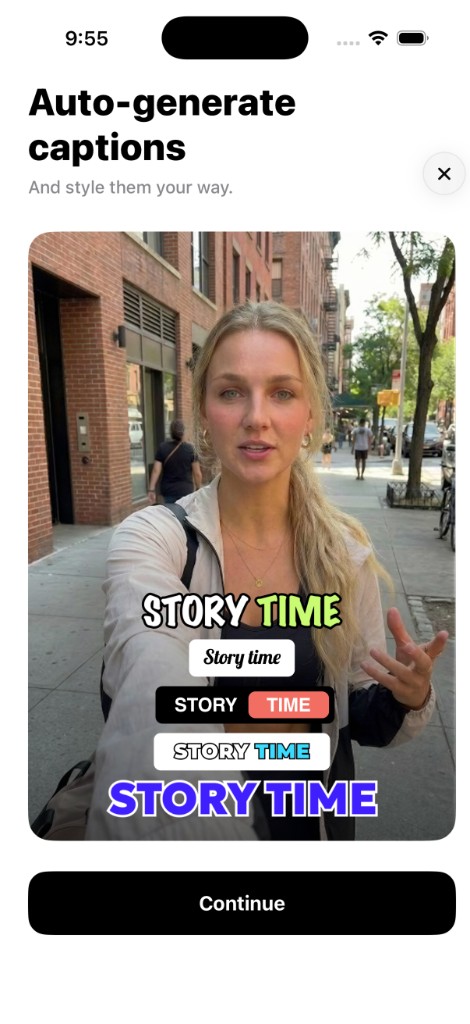
Automatic captions are a starting draft of the words in your recording. CueCam can generate captions on-device and provides editing for text, timing and style. Listen to the video while reviewing them; correct speech recognition before choosing the final design.
Step by step
Record clear speech first
Listen to a short sample before the full take. Keep music and background noise below the voice and check external microphone input. Caption quality cannot recover words that are missing from the audio.
Check the spoken language
Generate captions for the language actually spoken in the recording. If the result uses the wrong language, review the language selection available in your version and generate a new transcription where supported.
Correct words that change the meaning
Review names, prices, dates, technical terms and negations while playing the audio. Split long captions into readable units. Do not treat a fluent-looking transcription as proof that every word is correct.
Adjust timing and readable placement
Move caption boundaries so text follows the speech. Choose size, contrast and placement for the final screen. Preview the chosen aspect ratio and keep text away from important faces and platform controls.
Check the saved video
Export a short sample and watch it outside the editor. Confirm that captions appear at the right time, remain readable and do not cover the content. Keep the source recording for future edits.
Try this with your next recording
Caption a product introduction containing a person’s name, a price and a date. Check those three items first, then watch the full export with sound muted to see whether the captions carry the intended message.
What to check before you record
Automatic transcription can be wrong. Language availability and processing depend on the current app and device; optional cloud features have different requirements. Caption generation and editing are part of the subscription feature set.
Try the workflow in CueCam
Free download with a limited evaluation. Full recording and editing access requires a subscription. Check current pricing and availability on the App Store.
View CueCam on the App Store